
Billing
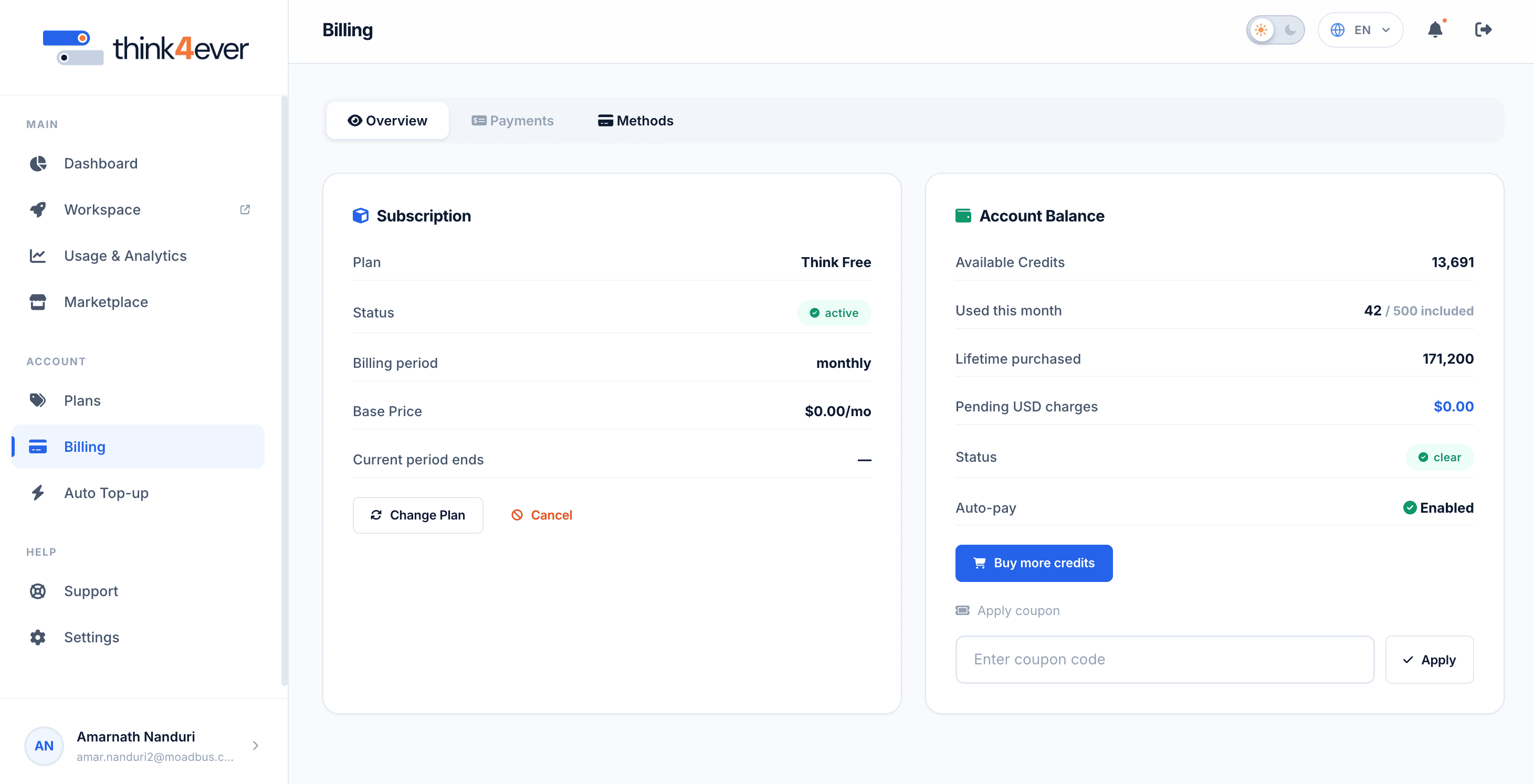
The Billing module allows you to track your current subscription tier, monitor overall account balances, handle manual overages, and manage promotional coupon codes.
 Click to enlarge
Sub-Tab Navigation Bar#
- Overview (Current View): A high-level view showing your active plan pricing and a snapshot of your account's financial standing.
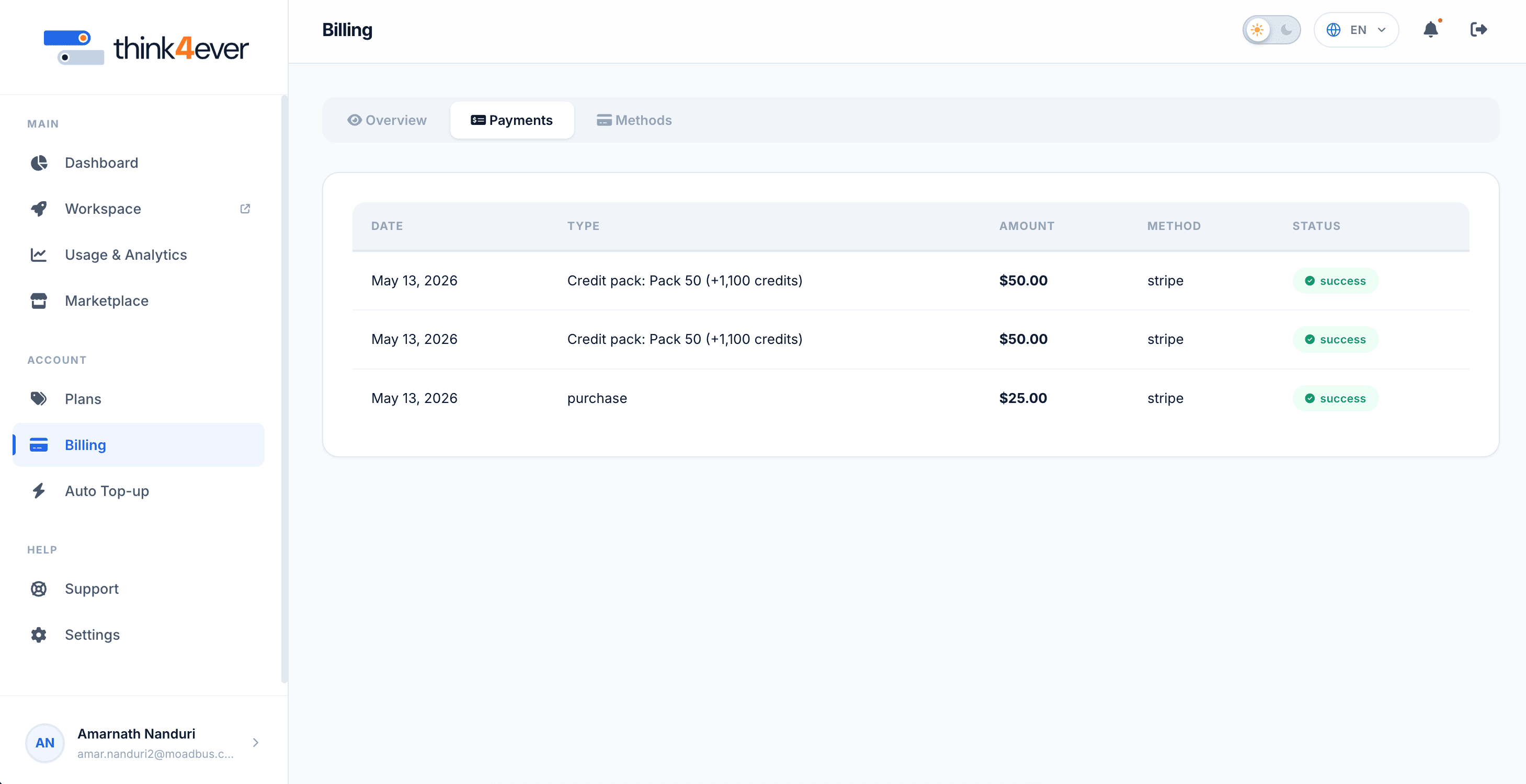
- Payments: A portal to view historical receipts, download transaction invoices, and track past charges.
- By Model: Breaks down consumption data based on the specific AI model engines processing your requests.
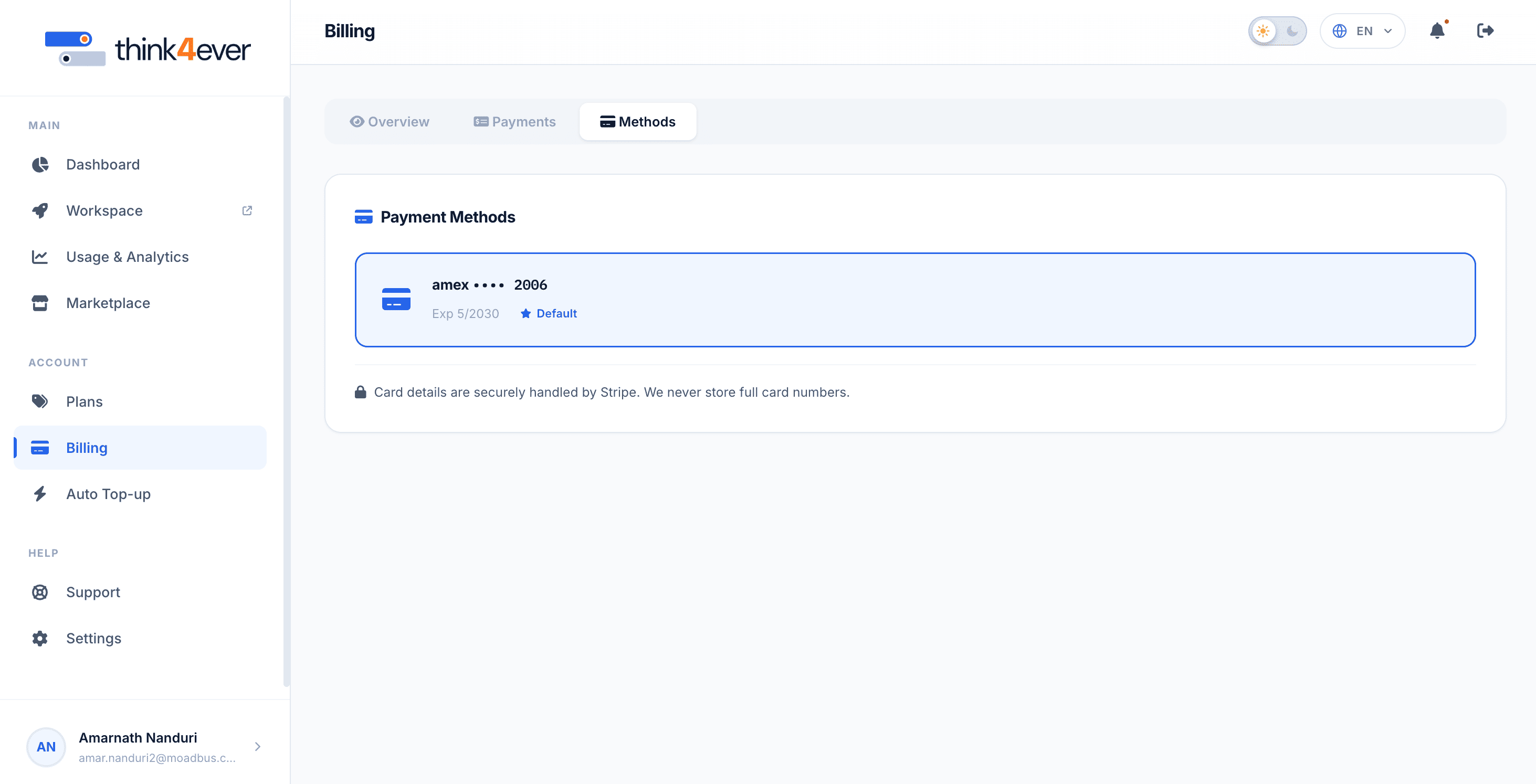
- Methods: The interface to add, remove, or modify your saved payment sources (e.g., credit cards or digital wallets).
Subscription Details Card#
This panel outlines the parameters of your operational service contract with Think4Ever:
- Plan: Identifies your current tier (e.g., Think New).
- Status: The deployment health of your plan (e.g., a green active badge means your pipeline processing is fully enabled).
- Billing Period: The flat rate charged at the start of each cycle (e.g., $25.00/mo).
- Base Price: The interface to add, remove, or modify your saved payment sources (e.g., credit cards or digital wallets).
- Current Period Ends: The precise date your next renewal invoice generates (e.g., Jun 13, 2026).
- Action Buttons: Change Plan: Clicking this opens up an overlay menu to scale up to higher-volume tiers or downscale based on your team's shifting technical needs.
- Cancel Clicking this will initiate the termination flow for your active subscription at the end of the current billing cycle.
Account Balance Card#
This panel summarizes your immediate asset reserves and short-term liabilities:
- Available Credits: The total volume of operational currency remaining on the account (e.g., 8,116).
- Used This Month: Tracks your usage relative to the base plan allotment (e.g., 11,584 / 500 included).
- Lifetime Purchased: The historical total of all baseline and on-demand credits added to this account since creation (e.g., 27,700).
- Pending USD Charges: The current unbilled dollar amount accumulated due to metered credit overages outside your base plan flat rate (e.g., $0.00).
- Status: An administrative indicator showing if your financial standing is clear (e.g., a green clear badge confirms no overdue invoice amounts).
- Auto-pay: Displays whether automatic billing is activated for renewals and overages (e.g., a green checkmark indicating Enabled).
- Buy More Credits: Clicking this blue button allows you to instantly purchase a one-off batch of additional credits to replenish your balance
Promotional Module#
- Apply Coupon: Located at the bottom of the balance section, this sub-module allows you to enter alphanumeric promotional or discount codes. Input your text into the Enter coupon code input field and click the Apply button to update your billing parameters or add bonus credits.
Payments#
This is where user can view historical receipts, download transaction invoices, and track past charges.
 Click to enlarge
Methods#
The interface to add, remove, or modify your saved payment sources (e.g., credit cards or digital wallets).
 Click to enlarge