
Support
The Support page provides a direct channel to log technical platform issues, track ongoing resolutions, and coordinate with the Think4Ever engineering team.
 Click to enlarge
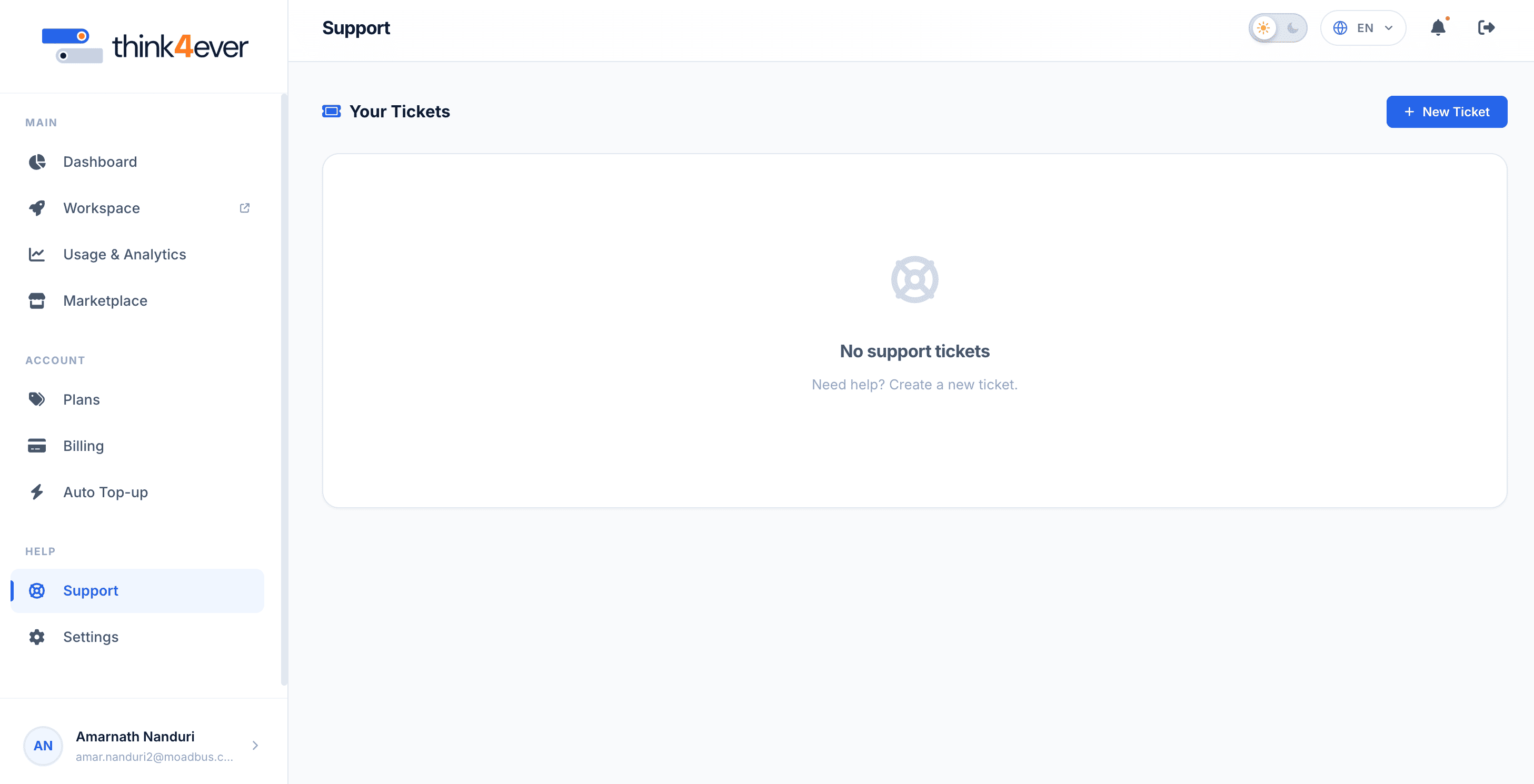
Tickets Hub Overview#
This section serves as your historical ticket ledger:
- Your Tickets: The primary workspace window where your active, pending, and resolved support issues are listed.
- Empty State View: If you haven't opened any support requests yet, this window displays a "No support tickets" placeholder message with a brief instruction prompt ("Need help? Create a new ticket."). Once tickets are submitted, this section populates with an interactive table tracking ticket IDs, categories, dates created, and live resolution statuses.
Creating a Support Ticket#
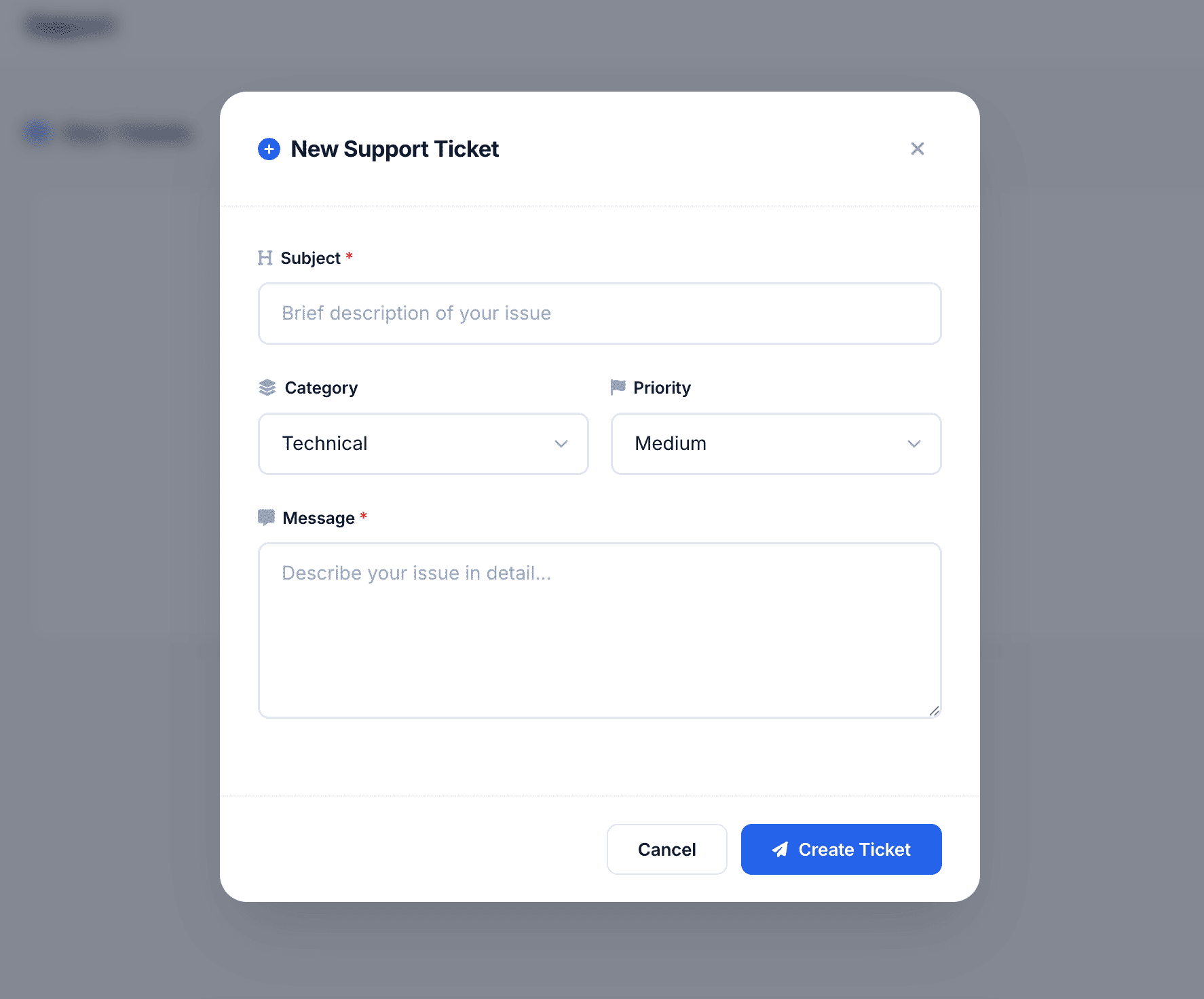
To initiate a new technical request or report a bug:
 Click to enlarge
- Locate the blue + New Ticket button in the top right corner of the support dashboard.
- Click the button to launch the ticket submission modal overlay.
- Complete the request parameters:
- Category: Choose the appropriate tag (e.g., Billing, Infrastructure/Server, AI Agent Execution Error, or Feature Request).
- Subject: Provide a clear, concise headline detailing the issue.
- Priority: Refers to the severity of the issue to be reported.
- Message: Detail the specific steps to reproduce your problem, error log outputs, or unexpected pipeline behaviors.
- Click Submit to send the request directly to the support triage queue. You will receive an immediate tracking ID to monitor responses right inside this dashboard.