
Gemini CLI Integration Manual (Model Context Protocol)
This section guides you through connecting the Gemini CLI to the platform using the Model Context Protocol (MCP). Connecting your client allows a terminal agent to leverage a large context window over your entire project toolchain to analyze requirements, track tasks, and audit code repositories.
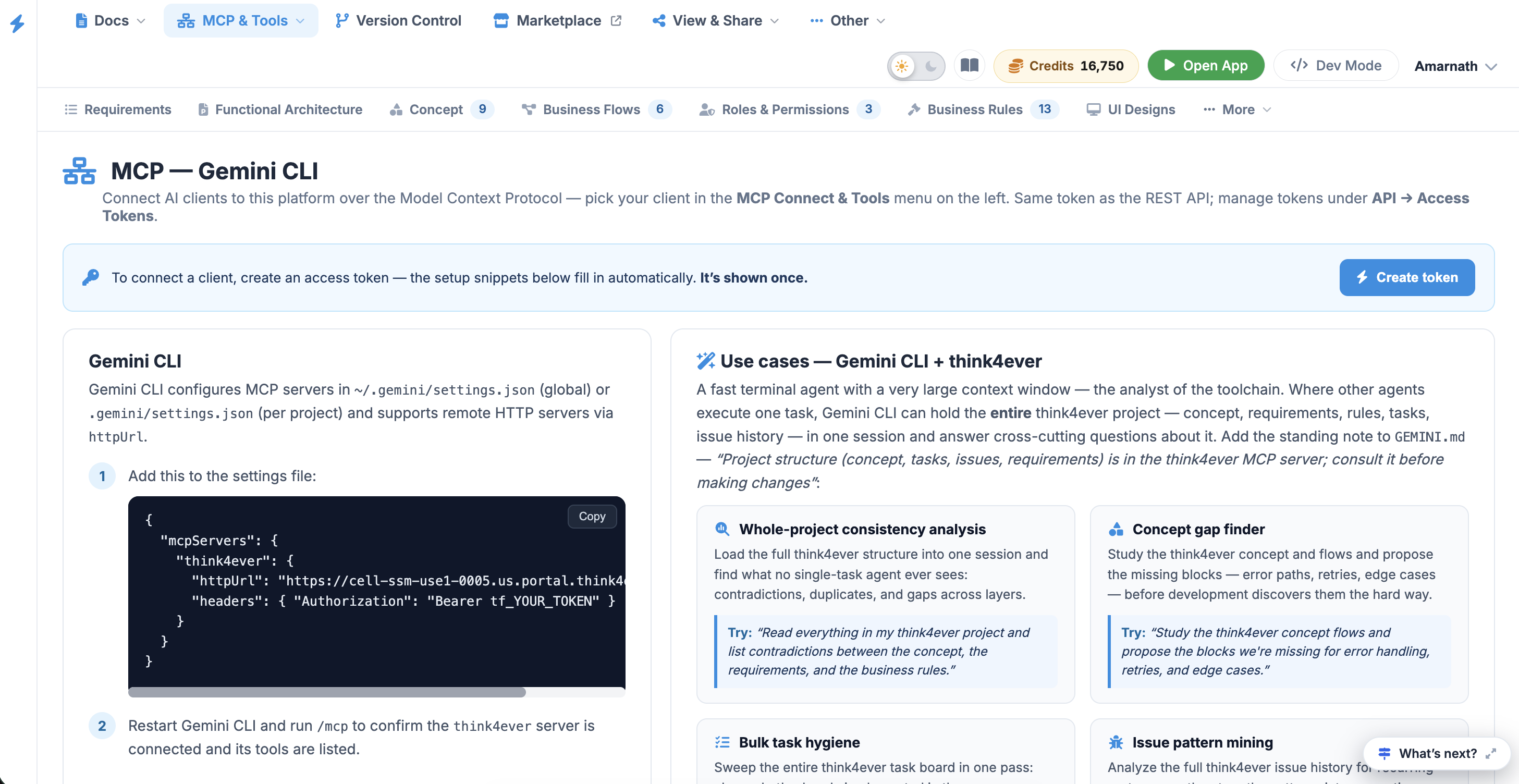 Click to enlarge
Prerequisites & Access Token Generation
Before configuring the CLI, you must generate a secure access token. This token serves as your REST API key and authenticates your MCP session.
- Navigate to the MCP — Gemini CLI dashboard.
- Click the blue Create token button located in the upper-right corner of the instruction panel.
- Copy the generated token immediately.
The token configuration snippet fills in automatically upon creation and is only displayed once. Do not commit your active token to a shared repository. If you are using a per-project configuration file within a shared repository, prefer using a global file in your home directory instead.
Configuration Setup#
Gemini CLI reads its server profiles from a JSON configuration file. You can define this configuration globally or on a per-project basis.
Configuration File Paths
- Global Configuration:
~/.gemini/settings.json - Per-Project Configuration:
./.gemini/settings.json
JSON Configuration Block#
Add the following block to your settings.json file, replacing tf_YOUR_TOKEN with the access token you generated:
Gemini CLI configures MCP servers
in ~/.gemini/settings.json (global) or .gemini/settings.json (per
project) and
supports remote HTTP servers via httpUrl.
Step 1#
Add this to the settings file:
{
  "mcpServers": {
    "Think4Ever": {
      "httpUrl": "https://cell-ssm-use1-0005.us.portal.think4ever.com/mcp",
      "headers": { "Authorization": "Bearer tf_YOUR_TOKEN" }
    }
  }
}
Step 2#
Restart Gemini CLI and run /mcp to confirm the Think4Ever server is
connected and its tools are listed.
Step 3#
Use /mcp desc to see tool descriptions, and mention Think4Ever in your prompt so
the model reaches for the right tools.