
VS Code
VS Code’s GitHub Copilot agent mode supports remote HTTP MCP servers natively (VS Code 1.99+). This integration ensures every Copilot developer seat has access to the exact same governed product context, regardless of their local machine configuration.
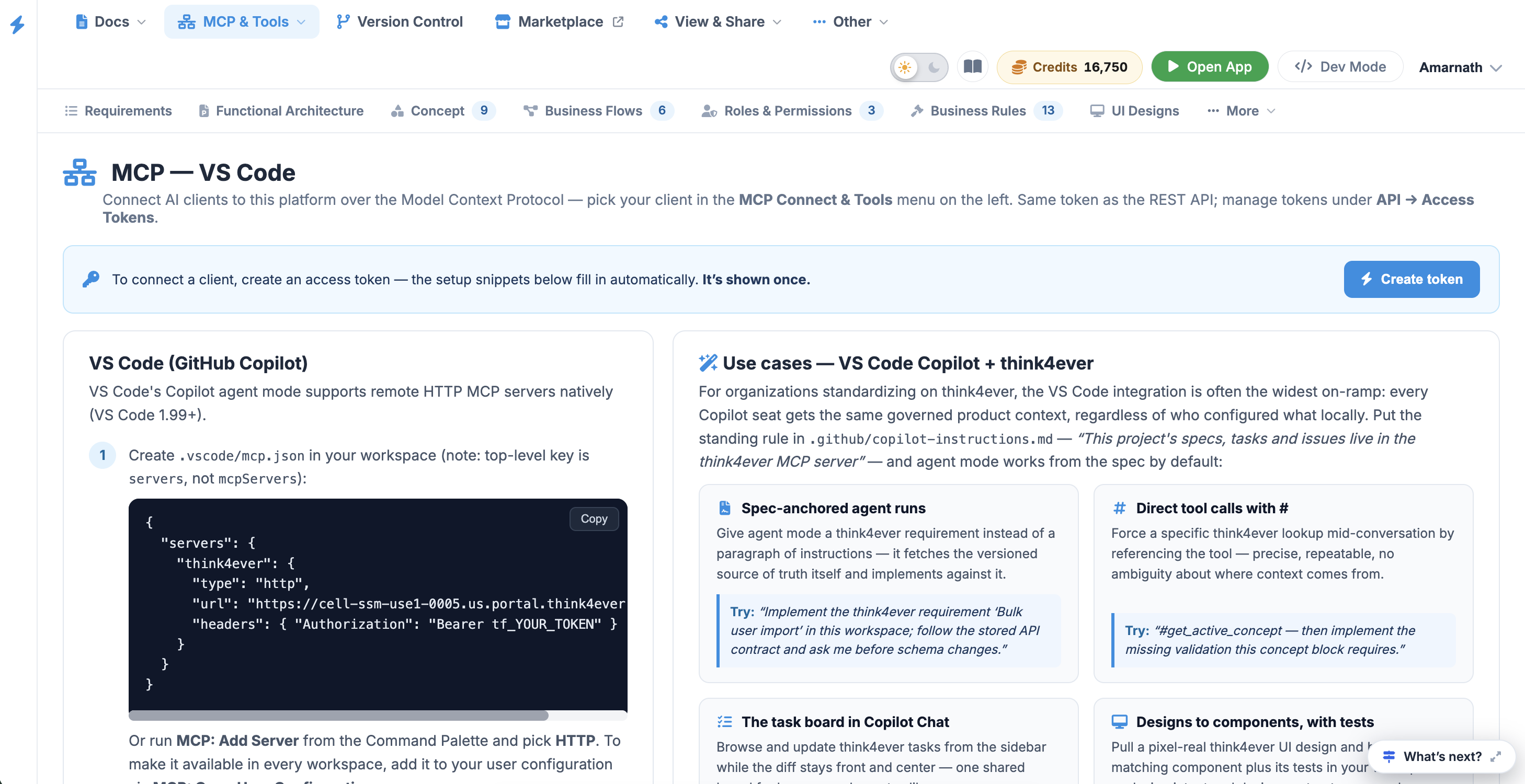 Click to enlarge
Technical Integration#
Follow these configuration steps to register the Think4Ever MCP server within your VS Code environment.
VS Code (GitHub Copilot)#
VS Code's Copilot agent mode supports remote HTTP MCP servers natively (VS Code 1.99+).
Step 1#
Create .vscode/mcp.json in your workspace (note: top-level key is
servers , not mcpServers ):
{
  "servers": {
    "Think4Ever": {
      "type": "http",
      "url": "https://cell-ssm-use1-0005.us.portal.think4ever.com/mcp",
      "headers": { "Authorization": "Bearer tf_71b84ebb8284f86491f24b85311a55dfd2b0c9e74c678c7e" }
    }
  }
}
Or run MCP: Add Server from the Command Palette and pick HTTP . To make it available in every workspace, add it to your user configuration via MCP: Open User Configuration .
Step 2#
Open Copilot Chat in Agent mode and click the tools icon — the
Think4Ever tools should be listed. Toggle on the ones you want active.
Step 3#
You can also reference tools directly in chat with # (e.g.
#list_tasks ) to force a specific call.
Add standing context to
.github/copilot-instructions.md to keep Copilot aligned: “This
project's specs, tasks and issues live in the Think4Ever MCP server; check the active
concept before structural changes. ”
Do not commit a real API token in a shared
.vscode/mcp.json file. VS Code supports an inputs section that
prompts for secrets and stores them securely—see the official VS Code MCP
documentation for advanced secrets management.
VS Code Copilot Use Cases & Sample Prompts#
Integrating Think4Ever with GitHub Copilot anchors agent mode directly to your specifications, allowing code creation, documentation, and task tracking to happen side-by-side inside your workspace.
| Objective | Sample Prompt to Try |
|---|---|
| Spec-Anchored Agent Runs | "Implement the Think4Ever requirement 'Bulk user import' in this workspace; follow the stored API contract and ask me before schema changes." |
| Direct Tool Calls with # | "Try #get_active_concept — then implement the missing validation this concept block requires." |
| The Task Board in Copilot Chat | "List my open Think4Ever tasks for this project, then mark task 87 as in progress and link this branch in a comment." |
| Designs to Components, with Tests | "Fetch the 'Settings page' UI design from Think4Ever and build it with our component library, following the Think4Ever design contract." |
| Rule-Aware Refactors | "Refactor this billing service, but first pull the Think4Ever business rules attached to billing — the refactor must violate none of them." |
| Problems Panel → Tracked Issues | "Create Think4Ever issues for the three TypeScript errors you just found — one per root cause, with file and line references." |
| Cross-Source Answers | "Compare our local config with the deployment config stored in Think4Ever files and list every difference that matters." |
| Drift Check Before Merge | "Check this branch against the Think4Ever concept and API contracts: flag drift, and update the spec where our change is the new truth." |
| Onboarding Inside the Editor | "I'm new to this codebase — read the Think4Ever concept and give me a tour of how this workspace implements it." |
| PR Descriptions with Spec Links | "Draft a PR description for this diff referencing the Think4Ever tasks it closes and the requirements it implements." |